

Outbound call automation is software that dials contact lists automatically, routes any answered call to a live agent or an AI voice agent, and logs the outcome straight into your CRM. It replaces manual dialing with a system that never gets tired, never forgets to note what happened, and never lets a lead sit untouched for three days. The immediate next step isn't buying a platform. It's running a scoped pilot: pick several hundred contacts, set one clear pass/fail KPI based on connect-rate improvement, and give it two to four weeks before you commit to anything bigger. Along the way, you'll bump into terms like TCPA compliance and CRM sync. Both matter more than the sales rep on your demo call will admit.
Key Takeaways
Outbound call automation succeeds when clean data, the right dialer mode, tight compliance controls, and a short measured pilot come together before any full-scale rollout.
| Point | Details |
|---|---|
| Start with a scoped pilot | Test on several hundred contacts with one clear pass/fail KPI before scaling. |
| Match dialer mode to use case | Predictive suits high-volume sales; preview suits sensitive or complex calls. |
| Build compliance in from day one | Automate DNC scrubbing, consent capture, and time-zone-aware scheduling. |
| Track connect and conversion daily | Use contact rate, AHT, and escalation volume to judge pilot success. |
| Consider a managed rollout | LeadClarify configures, integrates, and tunes AI Outbound Callers around your existing CRM and scripts. |
Table of Contents
- What Is Automated Outbound Calling and How Do Dialer Types Differ?
- Which Features Actually Matter in Outbound Call Software?
- What Business Problems Does Outbound Automation Actually Solve?
- Where Does AI Fit Into Outbound Calling Today?
- What Compliance Rules Govern Outbound Call Automation?
- How Do You Structure a Pilot for Outbound Call Automation?
- What KPIs Should You Track?
- How Much Does Outbound Call Automation Cost?
- A Faster, Safer Way to Roll Out Outbound Automation
- Frequently Asked Questions
- Sources
What Is Automated Outbound Calling and How Do Dialer Types Differ?
Every automated outbound calling system is built around a dialer mode, and the mode you pick determines your risk, your compliance burden, and how many agents you actually need. A manual dialer just speeds up the click. A predictive dialer calls multiple numbers ahead of agent availability, betting on the odds that some will go unanswered. A conversational AI agent skips the human agent step entirely for early-stage conversations.
Here's how the modes map to real use cases:
- Click-to-call: low-volume, high-touch outreach where personalization matters (enterprise sales, VIP accounts).
- Power dialer: one call per available agent, ideal for appointment reminders and mid-volume follow-up.
- Progressive dialer: paces calls to agent readiness, favoring call quality over raw volume.
- Predictive dialer: dials ahead of agent capacity for large sales teams working big lists fast.
- Preview dialer: shows agent the record before dialing, best for complex collections or legal calls.
- Conversational AI agent: handles qualification and scheduling at scale without a human on the line.
Cloud VoIP infrastructure is the glue underneath all of it, and none of these modes deliver value without a live CRM connection logging every outcome in real time.
Which Features Actually Matter in Outbound Call Software?
Not every feature on a vendor's checklist affects your outcome. These do:
- Dialer mode flexibility — the ability to switch between predictive, power, and preview without re-platforming.
- CRM sync — bidirectional, not just a one-way data dump after the call ends.
- Scripting and branching logic — scripts that adapt based on what the prospect says, not static text.
- Call routing and warm transfer — critical for handing qualified leads to a closer instantly.
- Recording and transcription — for training, dispute resolution, and quality review.
- Reporting dashboards — connect rate, talk time, and conversion visible without exporting to a spreadsheet.
- DNC and consent tools — automated scrubbing built into the dial list, not a manual side process.
- Open APIs and webhooks — lets you plug in AI agents or custom workflows later.
Pro Tip: Ask vendors for a working CRM connector during the demo, not a roadmap promise. A pre-built integration that syncs in real time can cut your pilot setup time from weeks to days.
The platforms worth shortlisting let you bolt on conversation intelligence or an AI outbound agent later, rather than forcing you to rebuild your stack when you outgrow the basics.
What Business Problems Does Outbound Automation Actually Solve?
Outbound call automation earns its keep in a handful of recurring scenarios: sales prospecting and qualification, appointment booking and confirmation, payment reminders and collections, service notifications, satisfaction surveys, and time-bound campaign outreach.
- Sales teams use it to qualify leads before a rep ever picks up the phone.
- Medical and dental practices use it for appointment reminders that cut no-show rates.
- Collections teams use it to reach larger portfolios without adding headcount.
- Marketing teams use it for time-sensitive campaign pushes tied to promotions or renewals.
The efficiency gains are real, but they depend entirely on list quality. A clean, recently verified contact list can meaningfully lift talk time and reduce administrative drag, according to Monday. Measure your baseline connect rate before automation, then measure again after the pilot. That comparison is the only ROI number that matters early on.
Where Does AI Fit Into Outbound Calling Today?
AI has moved outbound calling past the one-way robocall era into genuine two-way conversation. AI-driven outbound systems can now qualify a lead, answer basic objections, and book a meeting without a human touching the call.
Realistic AI roles right now:
- Conversational agents that qualify and route leads based on live responses.
- Voice synthesis for consistent, natural-sounding prompts across thousands of calls.
- Conversation intelligence that scores calls and flags coaching moments.
- Automated follow-up sequencing across voice, SMS, and email after the initial contact.
Complex negotiations, disputes, and anything touching legal or financial risk still need a human on the line. Pro Tip: Run the first two to three weeks of live AI traffic with a human reviewing flagged calls before full escalation. It's the fastest way to tune intent recognition without burning trust with real prospects.
What Compliance Rules Govern Outbound Call Automation?
Compliance isn't optional, and it isn't uniform across call types. TCPA rules govern autodialed and prerecorded calls to cell phones, consent requirements vary by call purpose, and calling-hour restrictions differ by state and by whether the contact is a consumer or a business. Recording consent laws also vary. Some states require only one party to consent; others require both.
Build these controls into the system itself, not into a training manual nobody reads:
- Automated DNC list scrubbing before every dial.
- Consent capture fields built directly into CRM records.
- Time-zone-aware scheduling so calls never land outside permitted windows.
- Escalation logging any time a call moves from AI or automated to human handling.
A five-item pilot compliance checklist to copy into your plan:
- Confirm your dial list is scrubbed against the national and state DNC registries.
- Verify consent language exists for every contact source you're calling.
- Set calling-hour restrictions by time zone before the first dial.
- Enable recording consent prompts where state law requires them.
- Log every escalation and outcome for audit purposes.
Effective implementations treat compliance as infrastructure, not paperwork.
How Do You Structure a Pilot for Outbound Call Automation?
A good pilot is scoped tight enough to fail fast and safe enough to protect your brand. Here's the sequence:
- Scope the dataset. Pull 500 to 1,000 contacts from one segment, not your whole database.
- Write the script and branching logic. Keep it to three or four decision points for version one.
- Select your dialer mode. Match it to call volume and risk (see the mode breakdown above).
- Connect the integration points. CRM, calendar, and reporting dashboard before a single call goes out.
- Run a simulation on historical call data first. Simulation testing catches obvious failure modes before you touch live prospects.
- Launch scoped live traffic and monitor daily.
Daily monitoring should track connect rate, escalation count, error logs, and script drop-off points, owned by whoever runs the pilot operationally, not left to the vendor's dashboard alone.
Set pass/fail criteria before you start. A common benchmark is a measurable lift in connect rate or conversion versus your pre-automation baseline. Run the pilot for two to four weeks or a fixed call volume, whichever comes first, and train agents on escalation handoffs before live traffic begins.
- Define pass/fail KPIs in writing before launch.
- Assign daily monitoring ownership by name, not by team.
- Brief agents on the handoff process at least a week before go-live.
What KPIs Should You Track?
Track contact rate, connect-to-conversation rate, conversion or appointment-booking rate, average handle time, transfer and escalation volume, and lead-to-opportunity attribution through your CRM.
- Build a daily operational dashboard for connect and escalation counts.
- Send a weekly pilot summary to stakeholders with trend lines, not raw numbers.
- Close the pilot with a final assessment tying results to an ROI estimate.
Multi-touch attribution is the trap most teams fall into: a lead that gets an automated call, then an email, then converts weeks later can get credited to the wrong channel if your CRM sync isn't structured to track the full sequence.
How Much Does Outbound Call Automation Cost?
Vendors price this a few common ways:
- Per-seat subscription — a flat monthly fee per agent license.
- Per-minute or per-connection billing — cost scales directly with call volume.
- Setup and integration fees — often quoted separately from the subscription.
- Overage charges — for excess minutes, API calls, or storage on recordings and transcripts.
Estimate your cost per contact delivered, not just the subscription line. Ask any vendor for a full total-cost-of-ownership example covering a three to six month pilot, including expected uplift, before you sign anything.
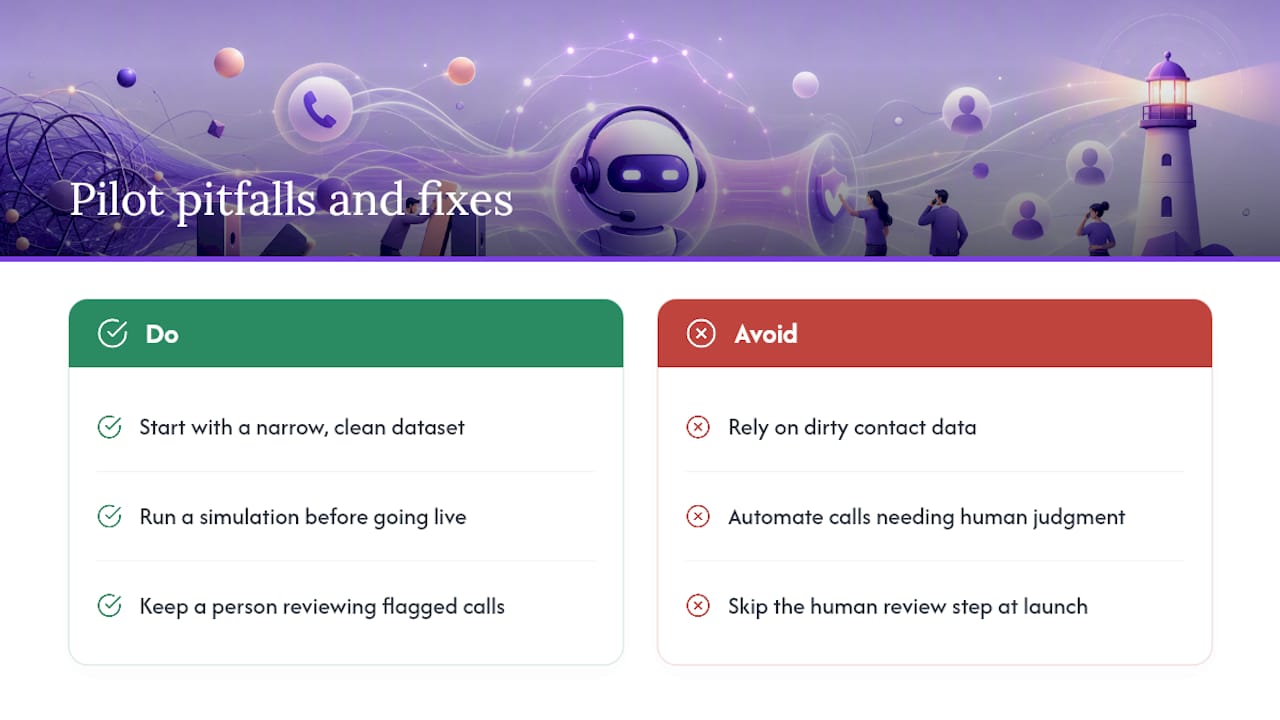
Common pitfalls we see in the field
Most failed pilots trace back to the same three mistakes: dirty contact data, automating calls that need a human's judgment, and skipping the human review step during launch. The fix is almost always the same. Start with a narrow, clean dataset, run a simulation before going live, and keep a person reviewing flagged calls for the first few weeks.
A Faster, Safer Way to Roll Out Outbound Automation
Building this yourself means weeks of vendor evaluation, integration debugging, and script tuning before you ever see a real result. A managed AI revenue infrastructure skips that runway. LeadClarify configures your AI Outbound Callers around your actual CRM, scripts, and escalation rules, then monitors live performance and keeps tuning it, so you're not the one troubleshooting a broken integration at 11 p.m. That's the real gap between DIY and managed: DIY gives you a tool, a managed rollout gives you a working system with a human team watching it. If you're ready to test outbound automation without building it from scratch, book a scoped pilot with LeadClarify and see what a properly configured system looks like in your own pipeline.
Frequently Asked Questions
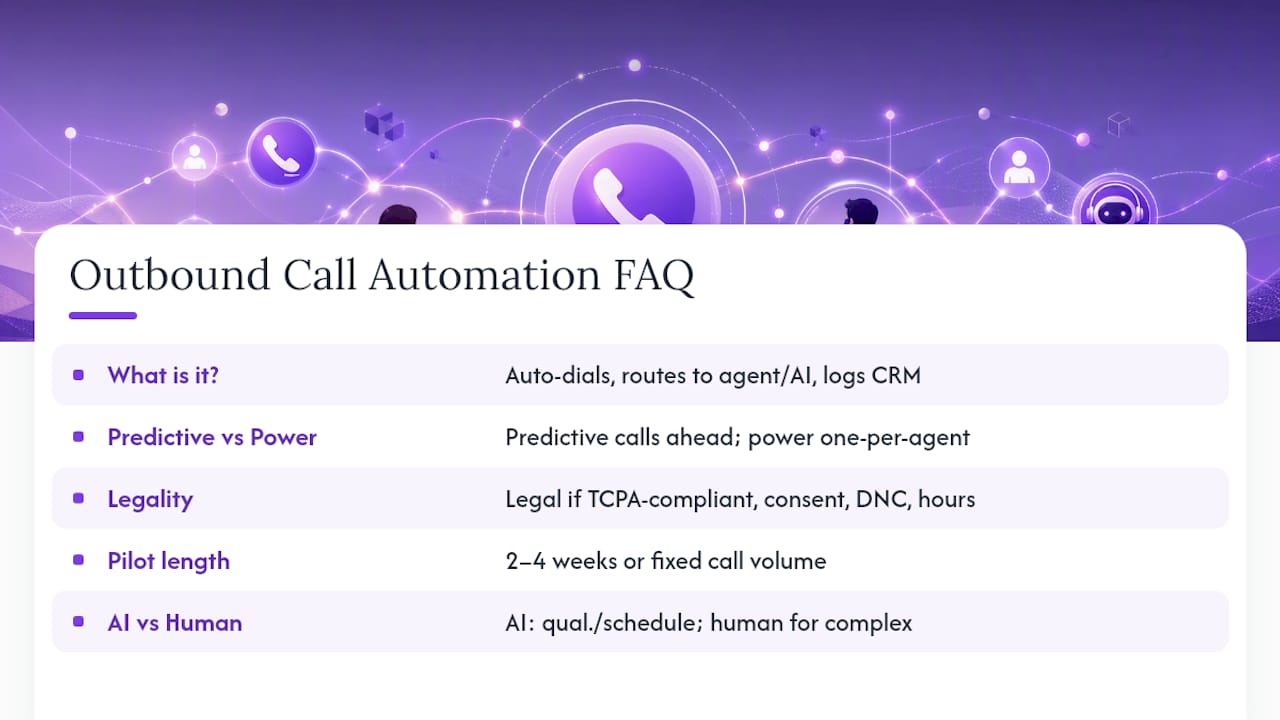
What is outbound call automation? It's software that automatically dials contact lists, connects answered calls to an agent or AI voice agent, and logs the outcome into your CRM without manual dialing.
How is predictive dialing different from a power dialer? A predictive dialer calls ahead of agent availability based on statistical pacing, while a power dialer places one call per available agent, making it better suited to smaller, higher-touch lists.
Is outbound call automation legal for cold calling? It's legal when it follows TCPA rules, respects Do-Not-Call registries, captures required consent, and calls within permitted hours for the contact's time zone.
How long should a pilot run before deciding on a full rollout? Most pilots run two to four weeks or a fixed call volume, whichever comes first, with pass/fail KPIs defined before launch.
Can AI handle an entire outbound sales call? AI can reliably handle qualification, scheduling, and basic follow-up, but complex negotiations and high-risk compliance conversations still need a human on the line.
This article is general information, not a substitute for advice from a qualified lawyer. Consult a qualified legal professional about your own circumstances before acting on anything here.
Sources
- What Is Automated Outbound Calling? Definition And Benefits
- Automated outbound calls: A practical guide to getting started (2025) | eesel AI